Gartner describes ISOC (Integrated Security Operations Center) as a converged technology approach that combines threat detection, investigation, and response (TDIR) in a single-vendor suite or cloud service.1 For Microsoft, that means Defender XDR and Microsoft Sentinel. This shift started a while ago with the move towards the unified security operations platform (USOP).
With ISOC, Microsoft 365 E5/E7 customers without Sentinel can now use features previously available only to customers using both Defender XDR and Microsoft Sentinel.
Why Microsoft is doing this#
You could already be a Sentinel customer without paying for the SIEM features: Sentinel lets you ingest some first-party Microsoft data, mainly alerts, as part of free data sources.
In my view, Microsoft is following the industry’s direction while also helping shape it. ISOC is now its own category in Gartner’s 2026 Hype Cycle for Security Operations, alongside security data lakes.2 Both are newer alternatives to a classic SIEM.
Traditionally, if you used Defender XDR and wanted SIEM capabilities, you had to step into Azure: create a subscription, resource group, and Log Analytics workspace. ISOC changes the entry point. The SIEM features and onboarding are available in the Defender portal. You only need an Azure subscription once you need workspace-dependent capabilities.
Another aspect is agentic security operations. A unified platform and data lake architecture provide the foundation, which ISOC makes accessible to more organizations.
When is a workspace required?#
Not every ISOC feature needs a workspace. Case management, workbooks, enhanced automation rules, and natural-language playbook generation on Microsoft data work out of the box. A workspace is only needed when storing additional security data:
- Ingestion of additional Microsoft and third-party data (e.g. via Content hub connectors)
- User and Entity Behavior Analytics (UEBA)
- Repositories (CI/CD)
- Threat intelligence
Onboarding process#
During the preview, ISOC onboarding is only available to environments without a deployed Sentinel instance. After the preview, existing Sentinel customers will also have an onboarding option.
The screenshots below show the flow in the Microsoft Defender portal, from the initial banner to the default and customized workspace settings.
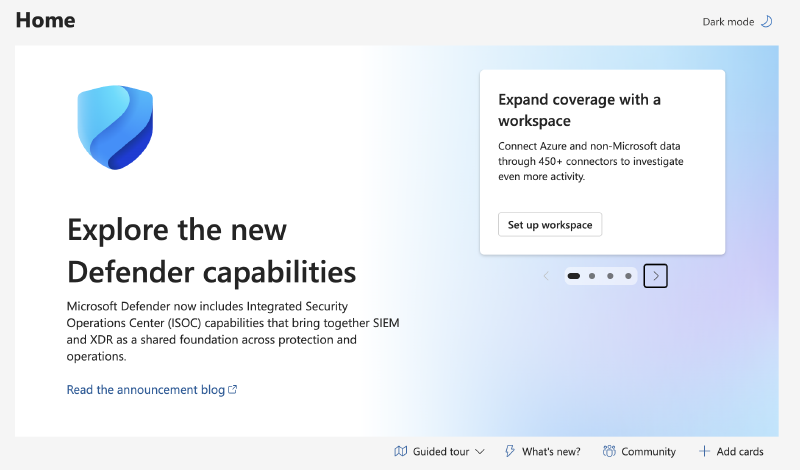
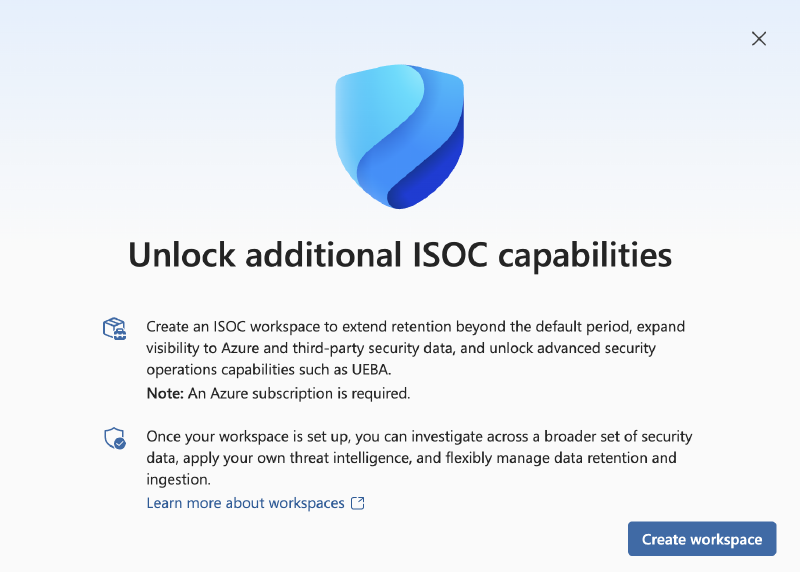
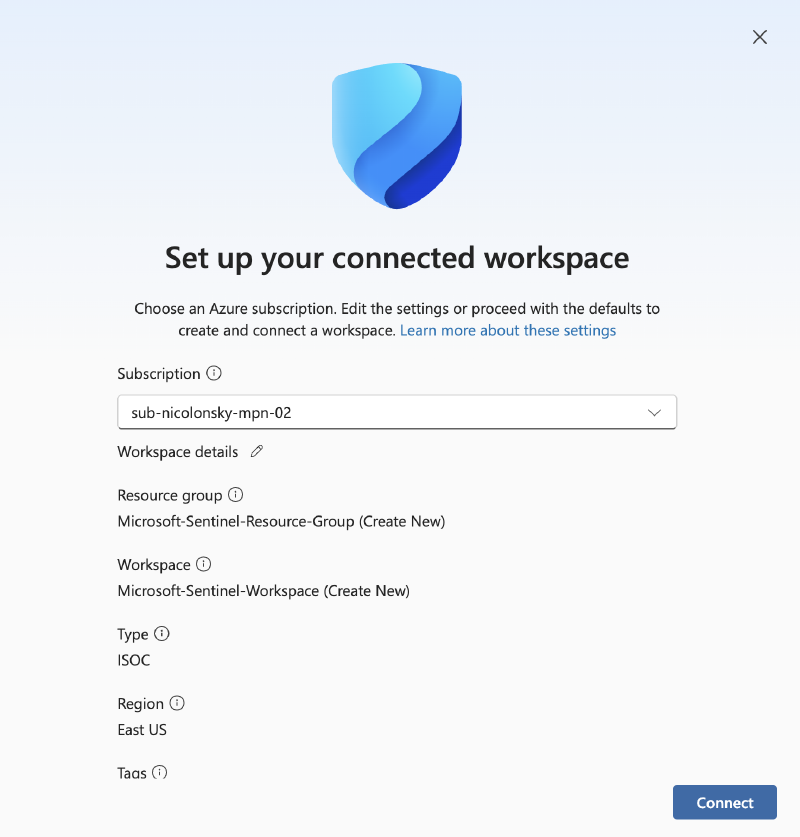
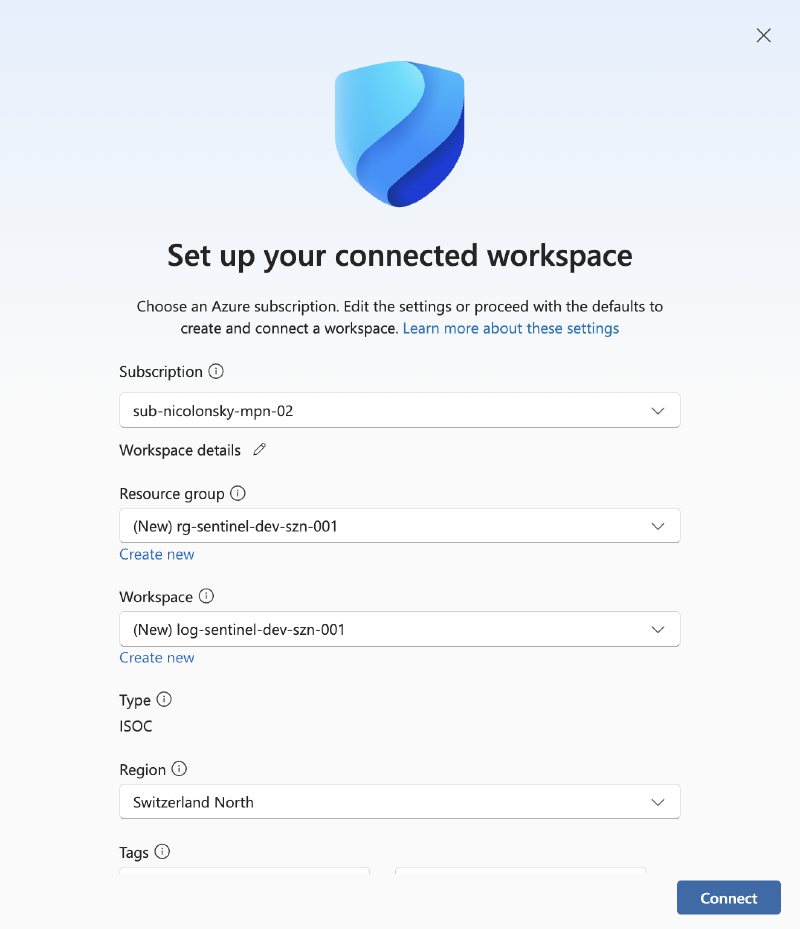
The entire setup runs in the Defender XDR portal. You still choose the subscription, resource group, workspace name, and region. The workspace lives in your Azure tenant.
Onboarding internals#
The setup deploys a Log Analytics workspace (LAW) with the Microsoft Sentinel solution. Open the LAW and you’ll see the difference from a traditional workspace: the selected ISOC pricing tier.
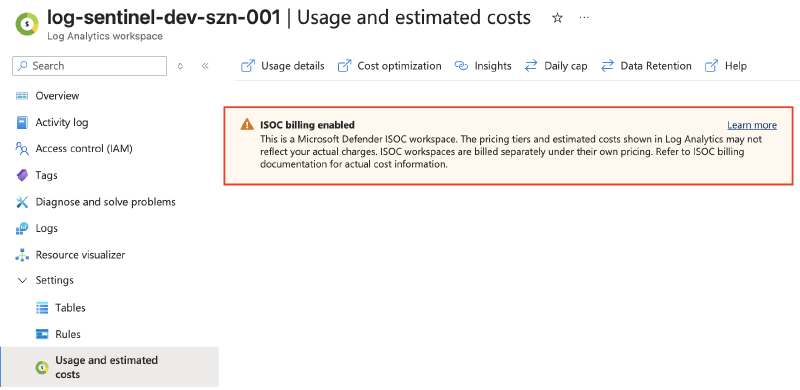
The Azure deployment operation shows a small difference from a traditional Log Analytics workspace deployment: an ISOC entry under features:
"features": {
  "associations": [
    "ISOC"
  ]
  ...
}
Full details of the deployed ISOC workspace
{
  "content": {
    "id": "/subscriptions/{subscriptionId}/resourceGroups/rg-sentinel-dev-szn-001/providers/Microsoft.OperationalInsights/workspaces/log-sentinel-dev-szn-001",
    "name": "log-sentinel-dev-szn-001",
    "type": "microsoft.operationalinsights/workspaces",
    "location": "switzerlandnorth",
    "tags": {},
    "properties": {
      "createdDate": "2026-10-04T14:54:31.781Z",
      "customerId": "{customerId}",
      "features": {
        "associations": [
          "ISOC"
        ],
        "enableLogAccessUsingOnlyResourcePermissions": true,
        "legacy": 0,
        "searchVersion": 1,
        "unifiedSentinelBillingOnly": true
      },
      "modifiedDate": "2026-10-04T14:58:17.314Z",
      "provisioningState": "Succeeded",
      "publicNetworkAccessForIngestion": "Enabled",
      "publicNetworkAccessForQuery": "Enabled",
      "retentionInDays": 30,
      "sku": {
        "lastSkuUpdate": "2026-10-04T14:54:31.781Z",
        "name": "PerGB2018"
      },
      "workspaceCapping": {
        "dailyQuotaGb": -1,
        "dataIngestionStatus": "RespectQuota",
        "quotaNextResetTime": "2026-10-05T03:00:00Z"
      }
    }
  },
  "apiVersion": "2025-02-01"
}
And if you’re wondering about unifiedSentinelBillingOnly, it reflects the simplified pricing configuration introduced in 2023. This combines Log Analytics ingestion and Sentinel analysis charges into one pricing meter.
Table retention#
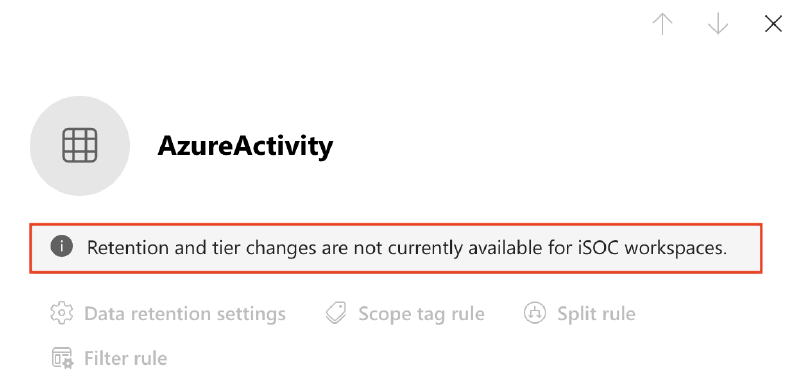
Table retention configuration is currently limited:
Summary#
An ISOC workspace is a Sentinel workspace under the hood: a Log Analytics workspace with the Sentinel solution, deployed into your own subscription, region, and resource group.
What changes is how you get there. The Defender portal provisions the workspace for you, bringing Defender XDR and Sentinel together without a separate Sentinel workspace setup.
After the preview, Sentinel customers with E5 or E7 can also opt into the ISOC experience and benefit from 90 days of retention for Defender XDR advanced hunting data, up from the current 30 days, which is a very welcome addition.
Gartner - Integrated Security Operations Center Solutions. ↩︎
Gartner - Hype Cycle for Security Operations, 2026, June 5, 2026. Full research requires Gartner access. ↩︎