Managing multiple tenants in the Microsoft ecosystem has always been a challenge for enterprises. Before the Unified Security Operations Platform (USOP), Azure Lighthouse was an option for managing Microsoft Sentinel across tenants. With the move to the Defender XDR portal, the focus shifted to multitenant management through B2B accounts or granular delegated admin privileges (GDAP)1. But some organizations did not want to use B2B because of organizational policies or onboarding requirements, and GDAP access was limited to Microsoft Cloud Solution Partners (CSPs).
Now that tenant governance relationships extend to Defender XDR, I wanted to explore the setup, the use cases, and the benefits for organizations with multiple tenants. Microsoft documents the setup in its guide to configuring delegated access with governance relationships.2
Under the hood, Defender XDR uses the native Entra tenant governance capabilities.3 This integration makes them more accessible to security teams working primarily in Defender XDR.
Overview#
The tenant governance process starts with configuring invitation settings and defining permissions, followed by a three-step handshake to establish the relationship.
sequenceDiagram
    autonumber
    participant MSSP as Governing Tenant (MSSP)
    participant Customer @{ "type" : "collections" } as Governed Tenant (Customer)
    Customer ->> MSSP: Send Governance Request
    MSSP ->> Customer: Send Relationship Request
    Note right of MSSP: Contains Access Template(s) (Roles + Groups)
    Customer->> MSSP: Confirm Request
Microsoft uses two important terms to distinguish the tenants involved:
- The governing tenant manages the governed tenant. I’ll refer to it as the MSSP tenant.
- The governed tenant is the tenant being managed. I’ll refer to it as the customer tenant.
In an enterprise, the governing tenant could be a dedicated service tenant or simply the main tenant used to manage the others.
Before onboarding any customer tenants, we first need to prepare the MSSP tenant by defining access templates and enabling invitations.
Prepare access templates and invitations#
We start in the MSSP tenant’s Defender MTO portal: https://mto.security.microsoft.com. Microsoft defines the required roles, which vary depending on whether you have already prepared your role-assignable groups or enabled invitations in Entra tenant governance.
Access templates#
Access templates are central to tenant governance relationships. Defined in the MSSP tenant, they map Entra directory roles to role-assignable groups.
An access template can contain multiple role assignments. The diagram below shows a simplified example:
flowchart LR
    T["Access Template"]

    subgraph A["Delegated Administration Role Assignment"]
        G["Role assignable Group"]

        subgraph R["Entra Roles"]
            R1["Security Operator
"]
            R2["Entra SOC Identity Responder"]
        end
        G -->|receives| R
    end
    T -->|contains| A
    class T template
    class G group
    class R1,R2 role
For my test, I went with the following basic configuration:
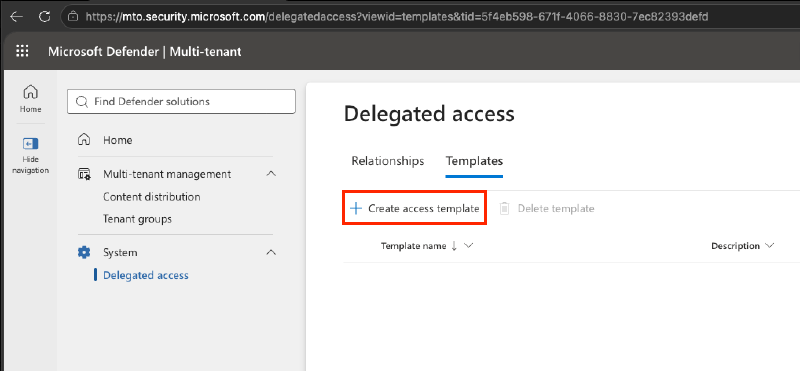
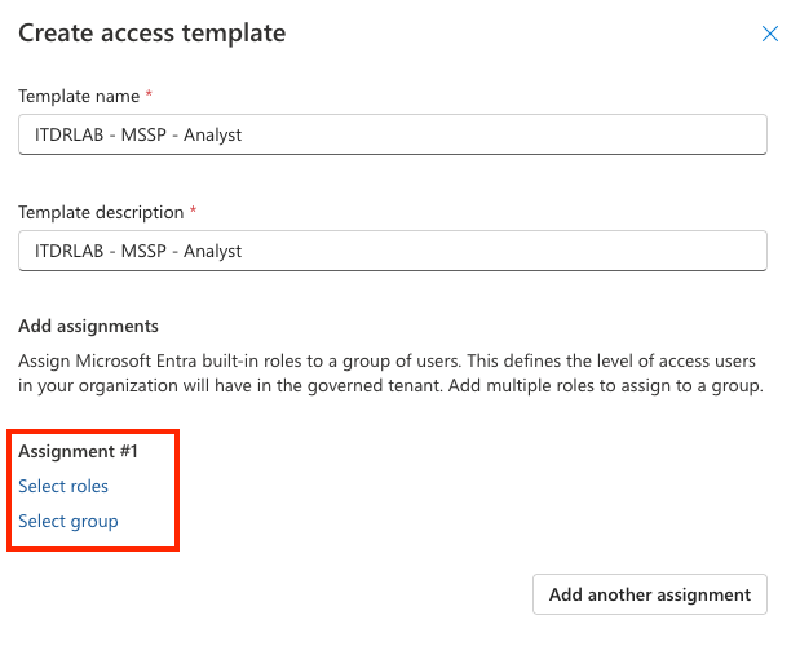
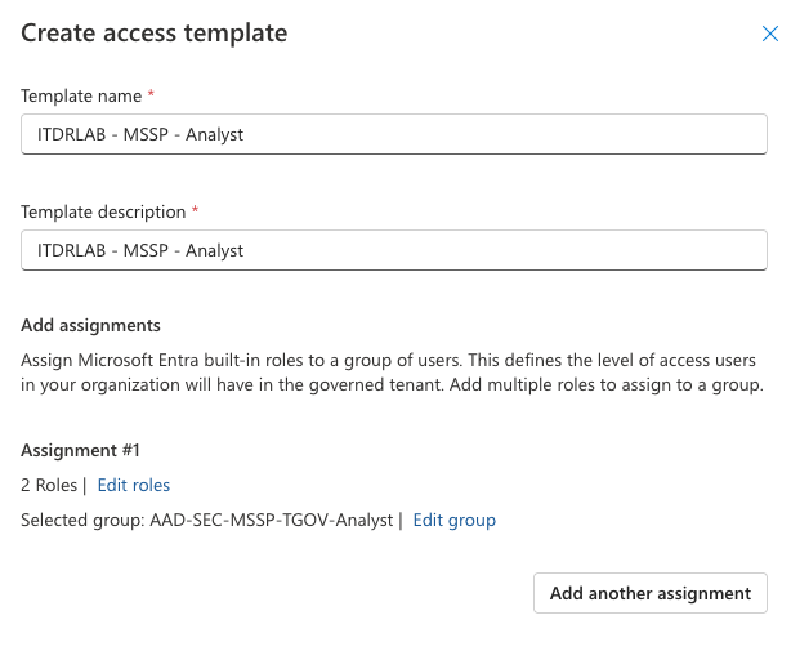
The selection produces a configuration like this. It looks quite similar to Azure Lighthouse, doesn’t it?
{
  "id": "528c079d-6350-4c04-9e3e-d9431d4f48e0",
  "displayName": "ITDRLAB - MSSP - Analyst",
  "description": "ITDRLAB - MSSP - Analyst",
  "version": "1",
  "delegatedAdministrationRoleAssignments": [
    {
      "groupDisplayName": "AAD-SEC-MSSP-TGOV-Analyst",
      "group": {
        "id": "ab7eb3ba-9aff-4c7f-bf34-ee3c8386161c"
      },
      "roleTemplates": [
        {
          "id": "5f2222b1-57c3-48ba-8ad5-d4759f1fde6f",
          "name": "Security Operator"
        },
        {
          "id": "58f930cc-fcf4-4152-852c-1d7dbf502139",
          "name": "Entra SOC Identity Responder"
        }
      ]
    }
  ]
}
Enable invitations#
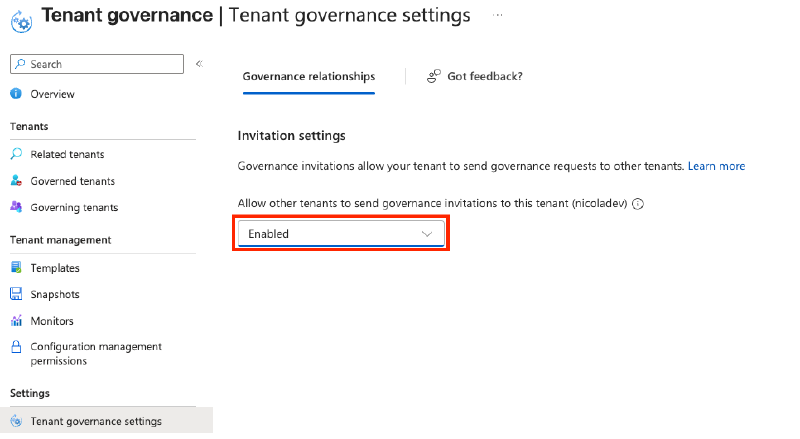
Enable invitations in the MSSP tenant’s Defender XDR MTO portal to receive governance invitations from customers:

This is the same setting as in Microsoft Entra tenant governance. Changes are reflected in both portals:
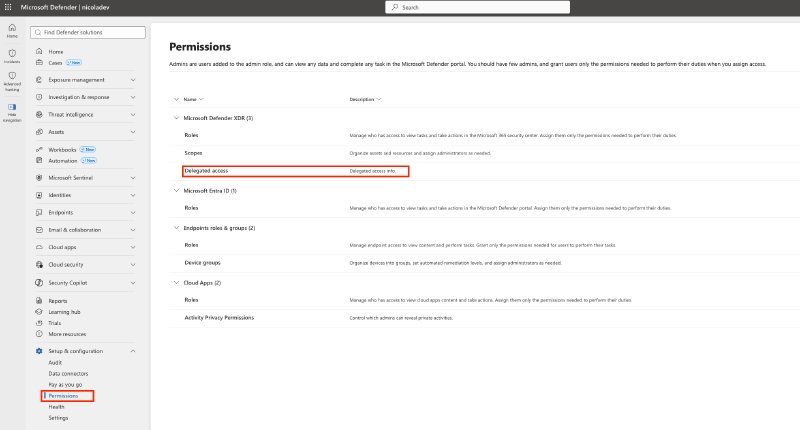
1. Send an invitation from the customer tenant#
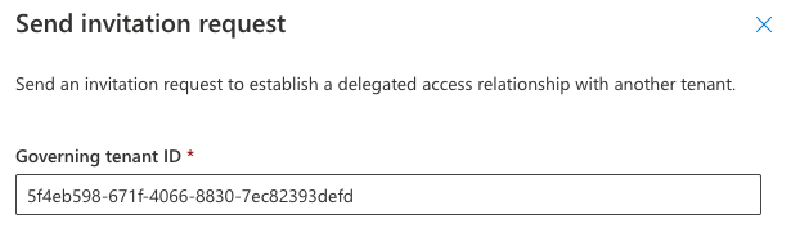
This was the part that confused me at first: the customer tenant sends the invitation to the MSSP tenant, essentially asking, “Please manage my tenant.” With GDAP, it works the other way round: the MS(S)P can send an invitation to the customer from Partner Center.
The customer therefore needs the MSSP tenant ID to send the invitation.

2. Send a relationship request from the MSSP tenant#
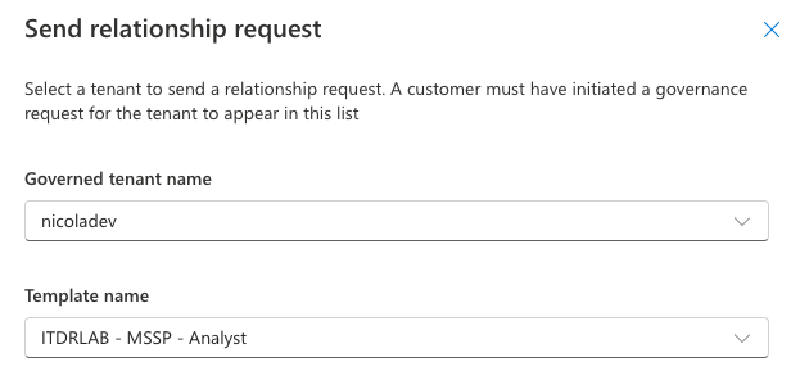
After receiving the invitation, the MSSP tenant sends a relationship request to the customer tenant through the Defender MTO portal. For this request, select the customer tenant and the access template created earlier.

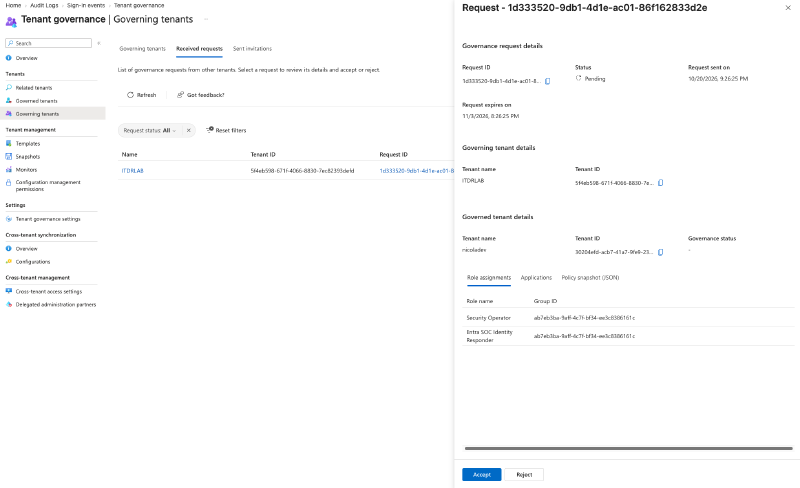
3. Approve the request in the customer tenant#
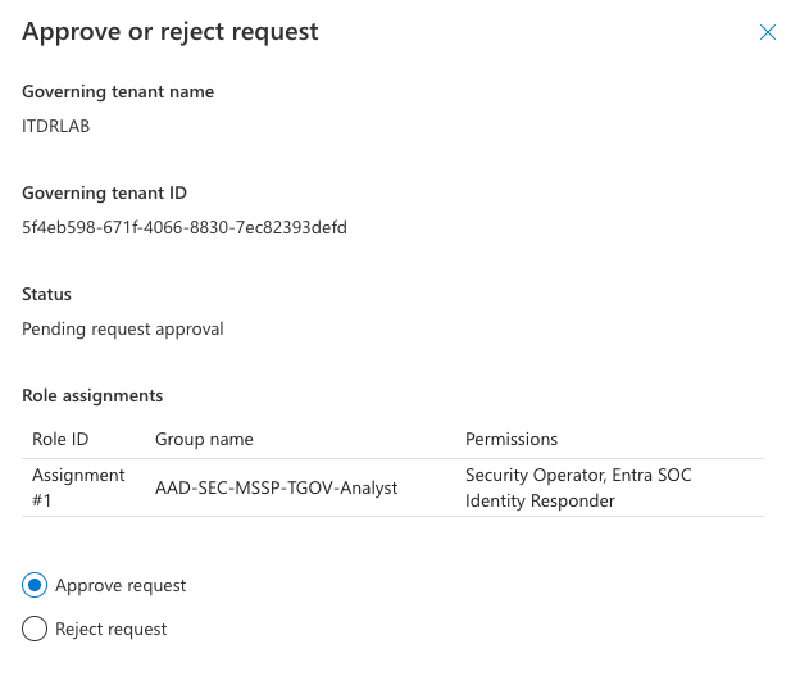
The customer tenant reviews and approves the MSSP’s request, including the Entra ID role assignments.

Failed approval#
At first, I couldn’t approve the request from the customer tenant. Every attempt produced the following error:
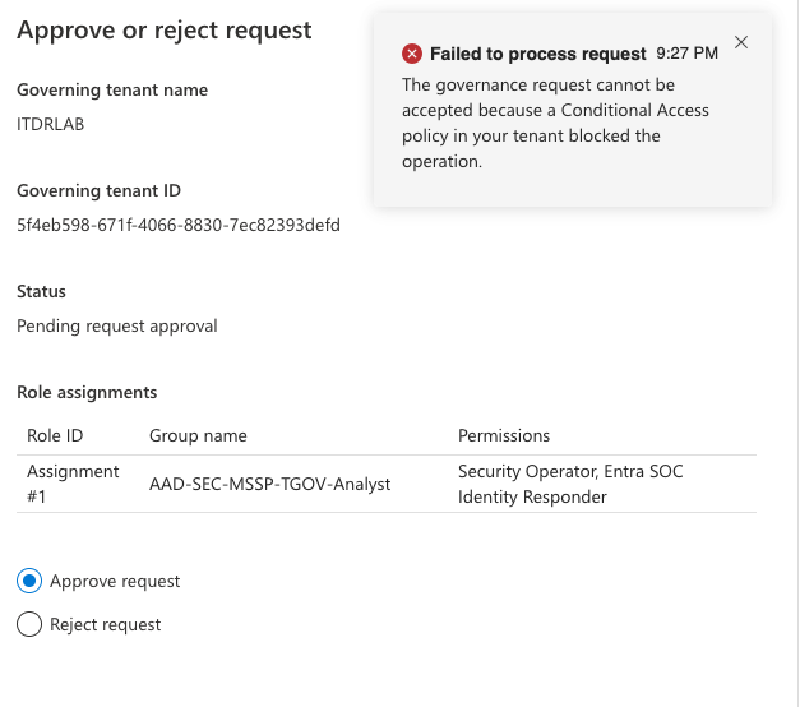
My browser’s developer tools showed the following API response:
{
  "code": "forbidden",
  "message": "The governance request cannot be accepted because a Conditional Access policy in your tenant blocked the operation.",
  "innerError": {
    "code": "crossTenantAccessPolicyUpdateForbidden"
  }
}
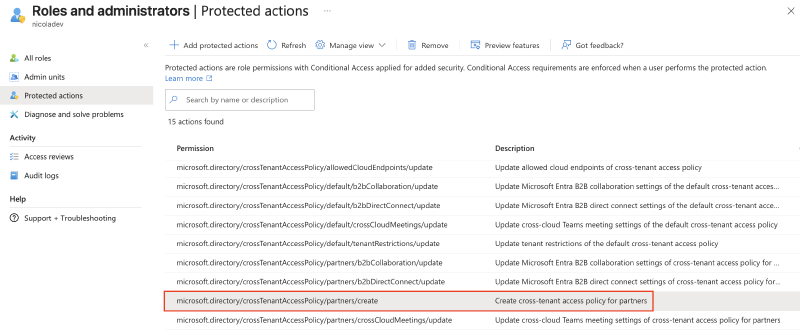
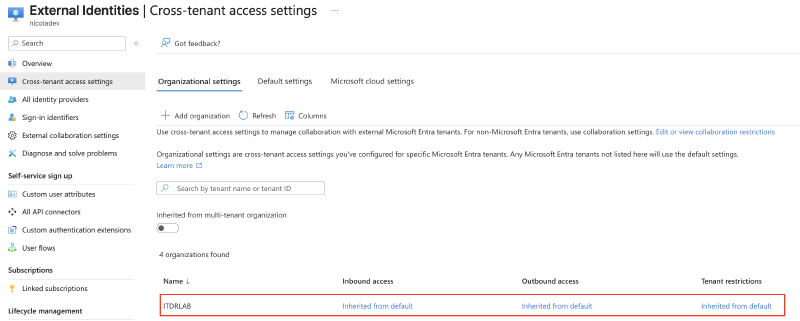
I eventually figured out that accepting the request updates the cross-tenant access settings for the partner. The Conditional Access protected actions I had configured blocked this update. Temporarily excluding the user from the protected action resolved the issue:
The request then completed, and the MSSP tenant appeared as a new entry in the cross-tenant access settings:
Manage the customer tenant#
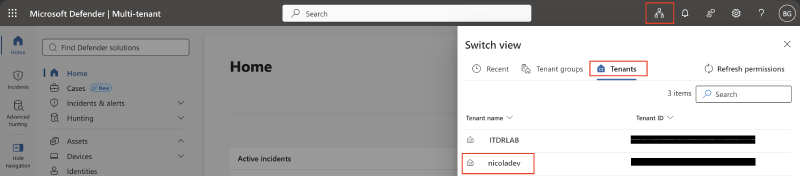
Once the handshake is complete, you can access and manage the customer tenant from the MSSP tenant’s Defender MTO portal. Your signed-in account must belong to the Entra role-assignable group specified in the access template:
Identify permissions that still require Azure RBAC#
Microsoft Defender unified RBAC (URBAC) permissions for Microsoft Sentinel are scoped only to the Log Analytics workspace. You may therefore need additional permissions for security operations involving the following areas:
| Area | Example role | Description |
|---|---|---|
| Workbooks | Workbook Contributor / Reader | Use, create, and update workbooks. |
| DCRs | Monitoring Contributor | Create and edit data collection rules to manage transformations and third-party data ingestion into Sentinel. |
| ASIM parsers and tables | Log Analytics Contributor | Create and modify custom tables and workspace transformation DCRs. Deploy, update, or remove workspace-deployed ASIM parsers. |
| Logic Apps | Logic App Operator / Contributor | Work with Logic Apps for playbooks. |
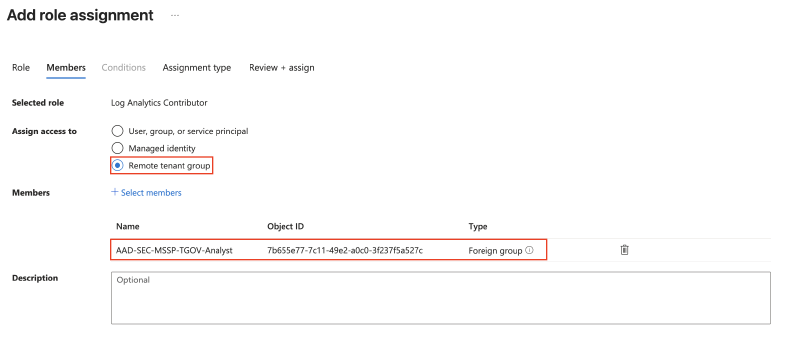
You can add these role assignments in the customer tenant through the Azure portal or infrastructure as code (IaC), but you cannot manage them through tenant governance:
GDAP view#
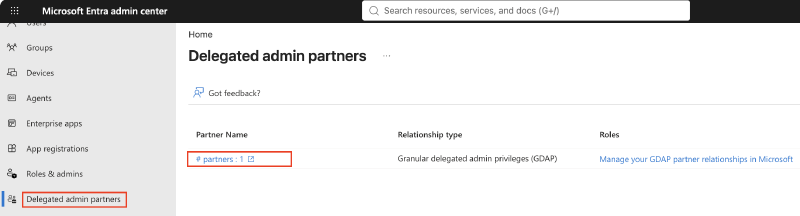
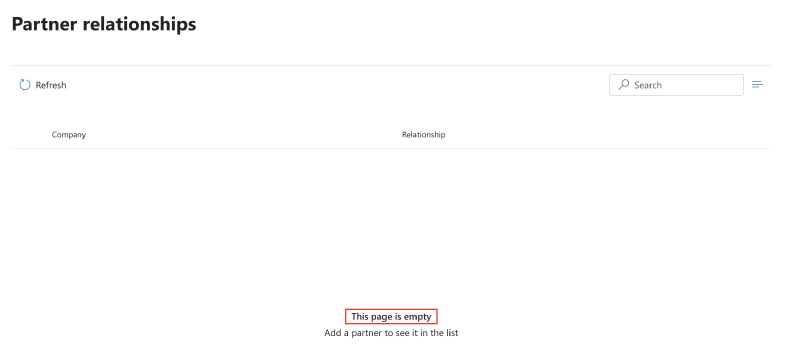
After I accepted the request, the Delegated admin partners page in Entra showed a weird entry. It linked to the Microsoft 365 admin center, but the partner list there was empty:
Sign-in activity#
Sign-ins from the MSSP tenant are recorded with the cross-tenant access type Service provider and can be tracked in the audit logs. The user’s MSSP username is not disclosed:
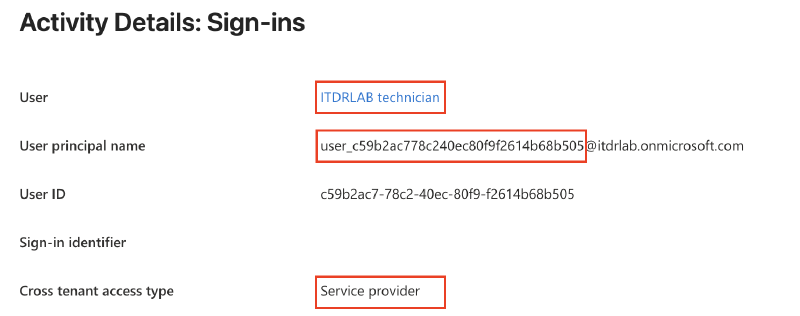
Interesting is also the authentication requirement of Delegated Admin MFA Requuirement which relates to the mandatory MFA requirements for GDAP and DAP introduced around 2021.4

Just-in-time access#
Tenant governance does not support just-in-time access or eligible role assignments in the customer tenant. The MSSP tenant can, however, use PIM for Groups to grant staff temporary membership in the role-assignable groups. This is not visible in the customer tenant.
My opinion#
The new tenant governance relationships give MSSPs and enterprises an easy way to manage tenants without the overhead of B2B accounts. However, the lack of visibility and just-in-time permissions in the customer tenant remains a limitation. From a technical perspective, tenant governance relationships seem to reuse GDAP and make it available to all organizations, independently of the Microsoft Partner Portal.
I’m curious to see whether MSSPs will move from traditional GDAP or B2B accounts to tenant governance, or combine these approaches. If you haven’t read Thomas Naunheim’s post, B2B or Not 2B? Cross-Tenant Delegated Administration with Microsoft Entra Tenant Governance, I strongly recommend it.
Microsoft Learn - Introduction to granular delegated admin privileges (GDAP): https://learn.microsoft.com/en-us/partner-center/customers/gdap-introduction ↩︎
Microsoft Learn - Configure delegated access with governance relationships for multitenant organizations: https://learn.microsoft.com/en-us/defender-xdr/governance-relationships ↩︎
Microsoft Learn - Overview of Microsoft Entra tenant governance: https://learn.microsoft.com/en-us/entra/id-governance/tenant-governance/overview ↩︎
Microsoft Learn - Mandating multifactor authentication (MFA) for your partner tenant: https://learn.microsoft.com/en-us/partner-center/security/partner-security-requirements-mandating-mfa ↩︎