Recently I needed to delete a desktop machine from the Windows Autopilot service in order to use the machine in another tenant. But the problem was that the Intune and Azure AD device objects were already deleted. All attempts taken within the Microsoft 365 Device Management and Intune Portal were unsuccessful.
Issue#
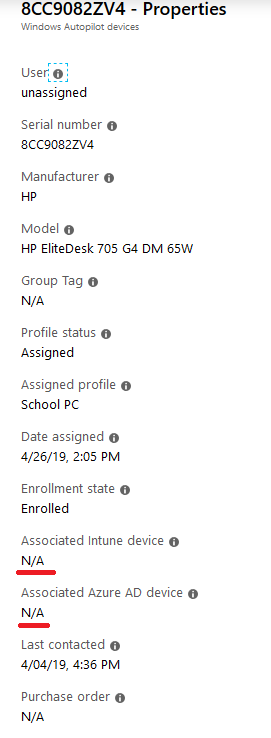
Usually the autopilot device shows the associated Azure AD and Intune objects but here they were shown as N/A (not available) because they were already deleted.
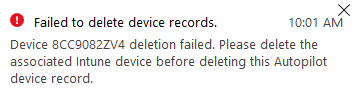
Every attempt to delete the device produced the following error:
Device 8CC9082ZVE deletion failed. Please delete the associated Intune device before deleting this Autopilot device record.
Solution#
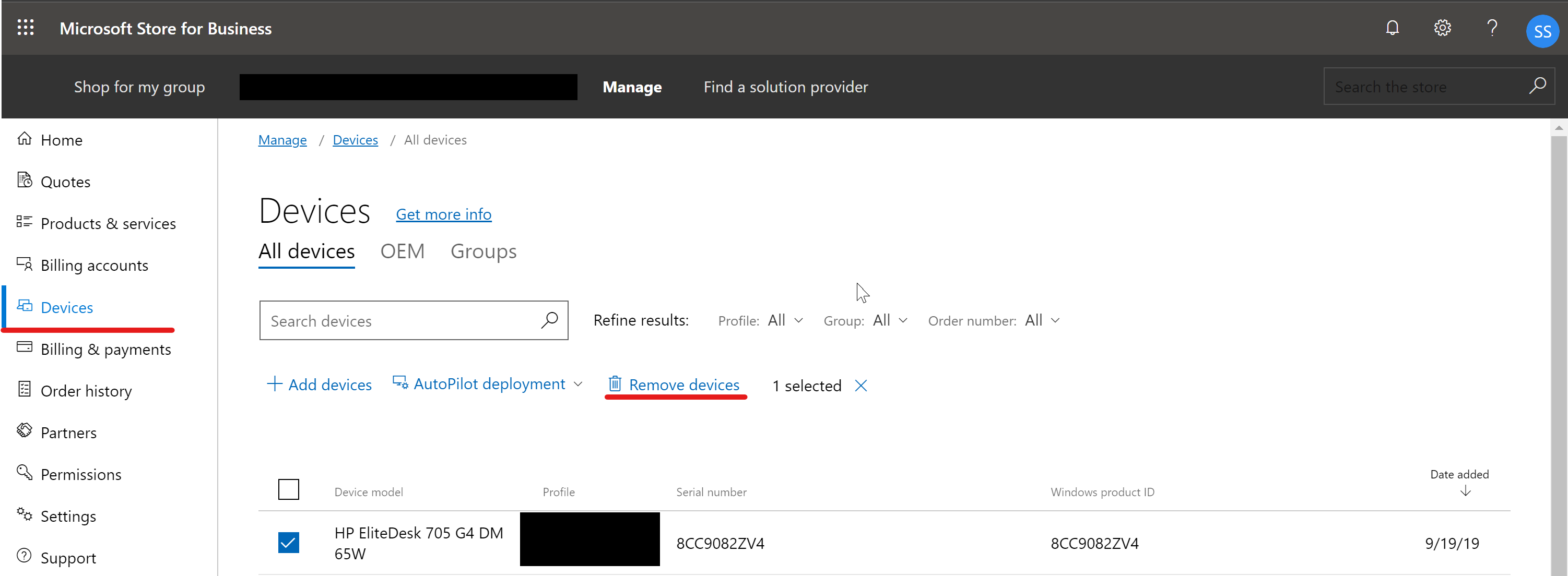
A quick visit to the Microsoft Store for Business resolved things because there I could delete the device without any issue. Direct URL to the Microsoft Store for Business. After a sync in the Intune Autopilot Devices pane the device had also gone from the Intune portal.
Final words#
This was a rather short post but I hope it prevents headache if you want to delete an Autopilot device with stale Azure AD / Intune records.